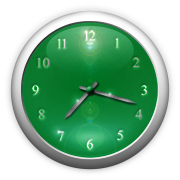
Onlive Clock

 English▾
English▾
English▾
Onlive Clock is a multifunctional online clock that includes: alarm clock, calendar, stopwatch, timer, kitchen timer, countdown to any date, Christmas countdown, metronome. There are also HTML widgets for embedding on third-party websites and blogs.
All features are available absolutely free without registration and are very easy to use. At the same time, they have many settings that allow you to flexibly configure the applications for specific needs.
Separately, we note the visual component. Onlive Clock is rightfully the most beautiful online clock on the Internet. Whatever your taste, you can customize them for yourself. You can choose the type (digital, mechanical, flip), color, change the background (for example, select any photo), stretch the clock to full screen, and much more.
Technically, Onlive Clock is a web application. This means that it is available online directly through a web browser. That is, you do not need to download and install anything - just open any application you need (online alarm clock, calendar online, stopwatch online, online timer, kitchen timer online, countdown online, christmas countdown, metronome online) and use as much as you want. Also, due to the fact that Onlive Clock is available online through a web browser, it works on different operating systems, including Windows, macOS, Linux, Android, iOS, Chrome OS and others. Onlive Clock supports all major web browsers including: Google Chrome, Microsoft Edge, Mozilla Firefox, Opera, Safari.











 Mara - free online photo editing and painting
 Web Media Center - includes a media player, a sound recorder, a speech recognition program and a text to speech reader
 Photo Mirror - an online photo booth and a digital mirror
 Click & Relax - relaxing nature scenes and sounds
 Desktop Lux - computer wallpapers, pictures, and desktop backgrounds
 System Scanner - provides available through a web browser information about your computer system